
MiniMax H3 Max · Video character replacement
AI Video Recast.
Same scene. New cast.
Replace people in your video with your reference photos. Keep the performance, camera, cuts and original sound—not just a face pasted over the frame.
Recast your video ↗Your footage. A new cast.
Source video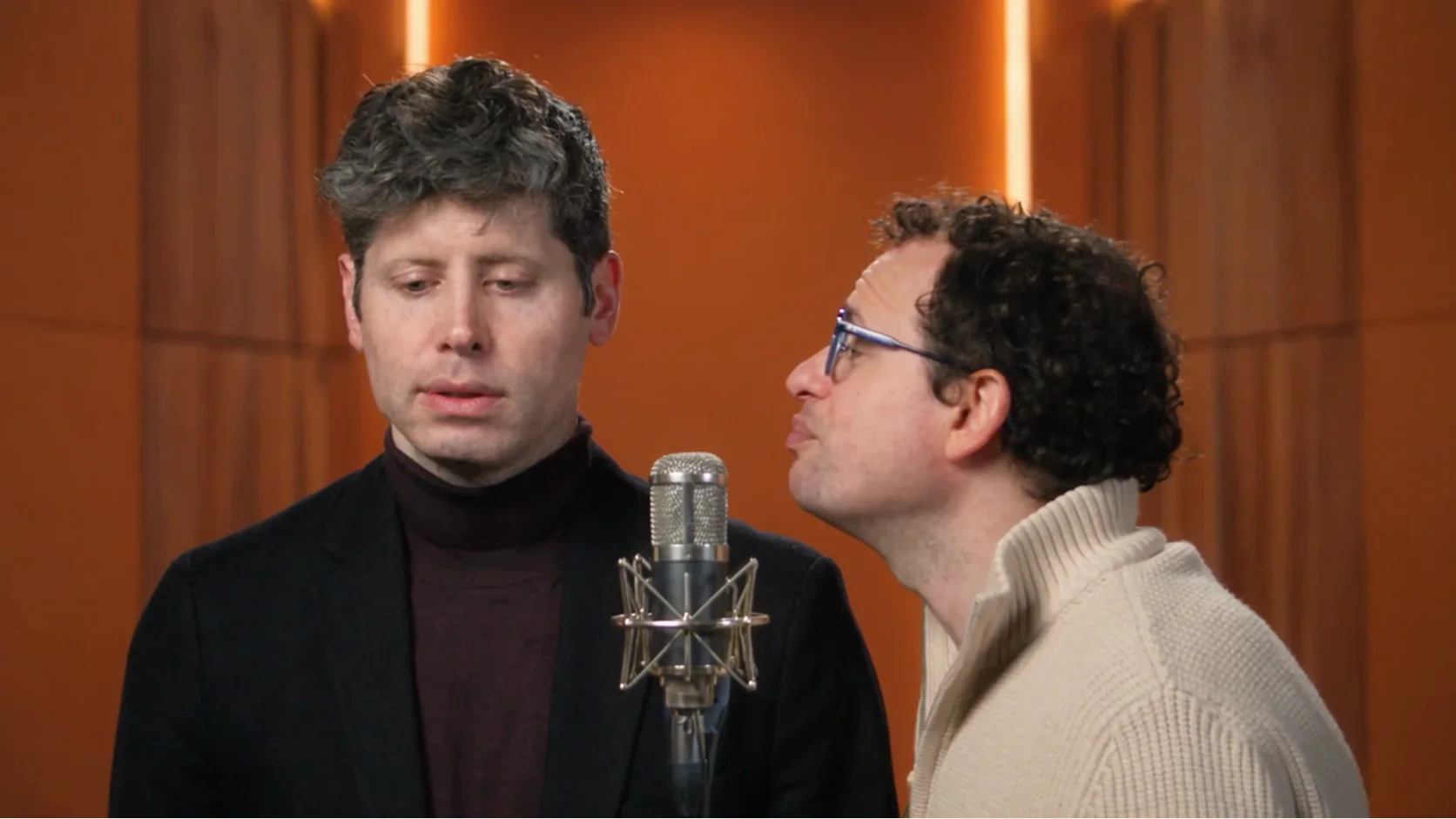
Keep the scene.
Change the people.
Upload your own footage to preview it here. This illustration is not an H3 Max result.
The source sets the motion, framing, cuts and soundtrack. Recast replaces the people.
MiniMax H3 Max
Recast your video
Same Trendeo credits · Failed renders refunded · Original audio preserved when present
From footage to a new cast
Your scene does the directing.
AI video recasting starts from footage you already have. MiniMax H3 Max Recast, accessed through fal, uses that video as the performance reference and your photos as the new cast. It aims to keep the motion, camera movement, edits and soundtrack, rather than inventing an unrelated scene from a text prompt.
Bring a short performance
Upload a standard MP4 with visible people and a clear action. It must be 5–30 seconds, under 50 MB, with every continuous shot at most 15 seconds. Trim long recordings first. Include the sound you want to preserve in the file.
Give each person a reference
Add one to four JPG or PNG portraits. Order them to match the main people from left to right, or explain a different mapping in the optional instructions. A clear, unobstructed face is more useful than a group shot.
Review the cost, then recast
Select 768p or 1080p and review the duration-based credit estimate before submitting. Your result appears in the same workbench. Watch the full output, check identities and audio, then download the MP4 for your edit.
What can I make?
A different cast. The same idea.
Recast a performance or duet
Use your own short music performance, reaction clip or rehearsal and replace its main performers. The original rhythm and soundtrack remain the reference. Recast does not license a track for you or create a new singing voice.
Try a new cast in a scene
Test a new person in an existing skit, concept film or storyboard recording. Source gestures and camera work provide a more concrete starting point than asking a text-to-video model to recreate every beat.
Adapt a multi-person clip
Supply separate photos for up to four people and describe who replaces whom. H3 Max is designed to track the main people across cuts. Fast movement, overlapping bodies and hidden faces can still make identity consistency difficult.
Keep your original dialogue
Recast a recording with speech while keeping its source audio. This is not dubbing or voice cloning: the speaker’s sound is not replaced by the voice of the person in a reference photo. Review facial articulation after generation.
Keep the sound—not generate it
Audio belongs to the source.
Want a recast video with music, dialogue or singing? Start with a source that already contains the audio you have permission to use. The H3 Max Recast output is designed to carry the source sound along with the new cast.
A silent video will not become a voiced performance just because you upload portraits or write “sing” in the instructions. Add a licensed soundtrack to your source first if you need background music. If you need a different voice, translation or a newly generated song, that requires a separate audio workflow.
Trendeo does not mute the downloaded output or force a vertical crop. The source determines framing, and the model may change fine details. Check the finished video for face consistency, hands, clothing, background changes and mouth movements before using it publicly.
Know your spend
Credits follow the footage.
You use the same balance as every Trendeo template. No extra subscription or separate Recast currency. Source duration rounds up to a whole second, and the final debit rounds up to a whole credit. The server reads file timing before reserving your credits.
| Source duration | 768p | 1080p |
|---|---|---|
| 5 seconds | 6 credits | 8 credits |
| 8 seconds | 9 credits | 13 credits |
| 15 seconds | 17 credits | 24 credits |
| 30 seconds | 33 credits | 48 credits |
One or four reference photos use the same credits at the same duration and quality. Failed or safety-blocked renders return the reserved amount. A finished video uses its quoted credits; dissatisfaction with a successful result is not an automatic failure refund.
Bring footage or pick a template
Choose the right starting point.
Use Recast when you already have a video
Choose this tool when the scene, action, editing or soundtrack matters and you have permission to reuse the footage. You bring the source; H3 Max handles the new people. A short sample with visible faces is a better first test than a crowded, rapidly cut recording.
The source and reference photos are uploaded to fal to process the request. Trendeo does not add your uploads or output to its public template gallery. Provider file URLs are accessible by link and can expire; keep your own backup and download results promptly. Read our privacy policy and usage terms before submitting.
Use a template when you only have photos
No source footage? The Hotel Lobby AI video generator includes a prepared two-person microphone performance. The Walk It Talk It generator starts from an original carpool scene. Those templates use a different generation model and have their own quality and credit options.
Recast is an additional workflow, not a replacement for those tools. Browse the existing templates if you prefer a ready-made performance, or upload your own authorized MP4 here for more control over the source.
Questions before you recast
The useful details.
How do I replace a person in a video with a photo?
Upload a 5–30 second MP4, then add one reference photo for each new person. Choose 768p or 1080p, check the credit estimate and submit. H3 Max Recast uses the source performance to reconstruct the people from your photos. You are not generating a new scene from scratch or pasting a still face over every frame.
Does Recast keep the original sound and lip movements?
MiniMax H3 Max Recast is designed to preserve the source soundtrack, gestures and timing. A source with speech, singing or music can therefore keep that audio. A silent source stays silent: Recast does not synthesize a soundtrack, translate dialogue or clone a new voice. Mouth and identity fidelity vary, so review your output before publishing.
Can I replace several people in the same video?
Yes. You can supply up to four photos, one per new person. The default mapping follows the main people from left to right, including later shots where they appear. Use the optional instructions to name a different role mapping. Add a single-person portrait rather than a group photo for each reference; heavily occluded people may be harder to track.
What video files and lengths can I upload?
Trendeo accepts standard MP4 files up to 50 MB, between 5 and 30 seconds. Each uninterrupted shot must be at most 15 seconds; a longer clip needs cuts. Export MOV, WebM or fragmented MP4 footage to a standard MP4 first. The original framing is used rather than forcing a vertical crop. Reference photos must be JPG or PNG and no larger than 3 MB each.
What is the difference between Recast and a face swap?
A conventional face swap focuses on changing the face region. H3 Max Recast reconstructs people using reference photos while aiming to retain the original performance, shot structure and audio. It may also change clothing, hair or other appearance details. It is not a pixel-perfect face-only edit; source details can change and results need review.
How are Recast credits calculated?
The uploaded source duration and selected resolution set the credit cost. Duration rounds up to the next whole second, then the credit total rounds up to a whole credit. The estimate appears before submission and the server checks the file timing and current price. Photos do not add a separate charge. Your existing Trendeo credits work here; no new subscription is required.
How long does a Recast take, and do I need to refresh?
Rendering time varies with queue demand, duration and quality; Trendeo does not promise a fixed completion time. The page checks the same job automatically and production callbacks help synchronize completion. You can refresh this browser tab to recover its saved job. Do not start a second render while submission is being confirmed. Download your completed video promptly: provider output links can expire.
Can I use any movie clip, song or celebrity photo?
You must have permission to use the footage, soundtrack and every person's likeness. Owning a copy of a video or finding it online does not by itself give you those permissions. Use your own recordings or properly licensed assets. Do not impersonate people deceptively, create non-consensual material or make misleading endorsements; disclose AI edits where appropriate.